Take it easy, sit back and relax
Preface
I assume everyone is familiar with Busuanzi. As the default visitor count statistics feature in the Butterfly theme, it's widely used across many static websites due to being a free public service. However, this popularity has also made Busuanzi a common reason for slowing down blog loading speeds. Last year, I came across Hong Ge's blog post about how to set up your own Busuanzi platform. Personally, I didn't notice much of a slowdown, so it stayed in my bookmarks without further action. Recently, I saw another friend's blog post on self-hosting the Busuanzi visitor statistics service. Although I still didn't feel any significant lag on my site, yesterday afternoon I couldn't resist tinkering with it. I ended up completing a private deployment and managed to restore previous data through a roundabout method.
Docker Compose File
Most experienced users opt for soxft/busuanzi: A simple web analytics tracker created by star-level contributors for private deployments, so I followed suit and adopted this project.
I won't elaborate too much on the setup process since online methods are generally consistent. I used Docker container orchestration for deployment.
Official Configuration
My Container Configuration
Modifying the Compose File
Most people have port
8080occupied, so you can change it to another port, for example:6381:8080. Note that the latter8080is the container application port and should not be arbitrarily modified.Change the final
API_SERVERto your website URL. For instance, if your domain isbusuanzi.lxink.cn, you should enterhttps://busuanzi.lxink.cn/api. Pay attention to SSL protocol issues.
Compared to the official configuration, I also mapped the redis container port to the local machine, which facilitates restoring previous Busuanzi data through indirect means.
After configuring the compose file, navigate to its directory via terminal and run docker-compose pull && docker-compose up -d to start the services. Finally, set up reverse proxy.
Integration Method
Butterfly Theme
Note for butterfly: The ID name for private deployment is busuanzi_page_pv, whereas the theme's default is busuanzi_page_value_pv.
If you want to use Busuanzi statistics across your entire site, modify the following two locations:
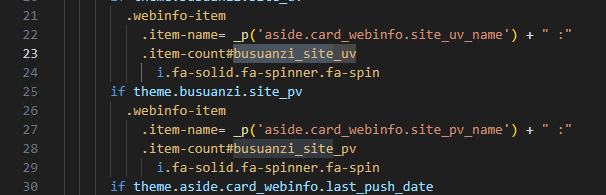
Homepage Site-wide Statistics
Open the file themes\butterfly\layout\includes\widget\card_webinfo.pug and delete _value.
1716716957776.webp
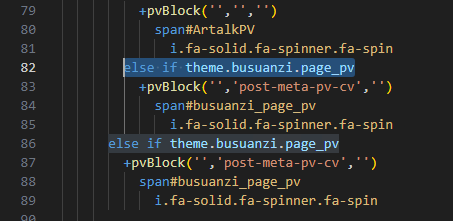
Article Page Statistics
Open the file themes\butterfly\layout\includes\header\post-info.pug and change busuanzi_page_value_pv to busuanzi_page_pv.
1716716613158.webp
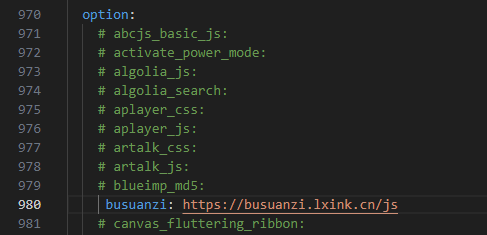
Finally, in the configuration file, customize the CDN to include your JS file.
1716718424507.webp
Restoring Old Data
Environment
Any version of PHP with the redis extension installed.
Software
Tiny RDM - A modern Redis GUI client.
Since this project doesn't synchronize with the official Busuanzi's APIs and methods, many users migrating to private deployment end up losing their historical data. This project stores data via a redis database. The dump.rdb file mounted under the redis directory cannot be directly opened, so I considered connecting to redis using database management software. Initially, I checked Navicat but found it doesn't support Redis connections. Fortunately, I recalled seeing a database connection tool recommended by Teacher Du on his blog, so I chose Tiny RDM for its compactness and lightweight nature.
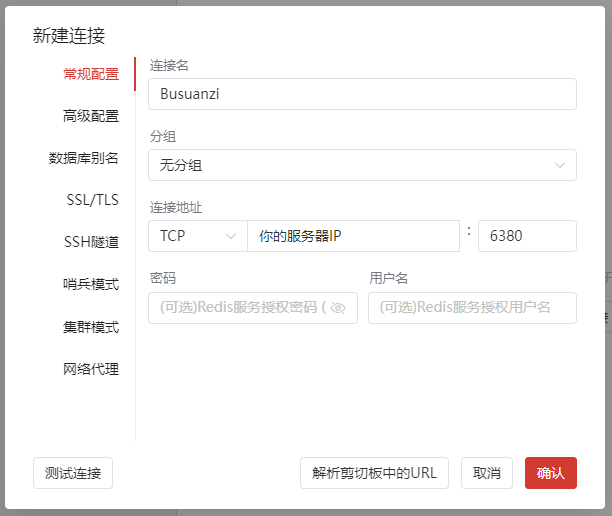
Connecting to Busuanzi
This step requires using the port mapped to the local machine earlier. For example, in the configuration file above, the port mapping is 6380:6379, meaning 6380 is your external network connection port.
1716713500907.webp
The default password is empty. For security reasons, please disable external network mapping after data restoration.
If connection fails, check whether the server security group allows the port.
Connected interface:
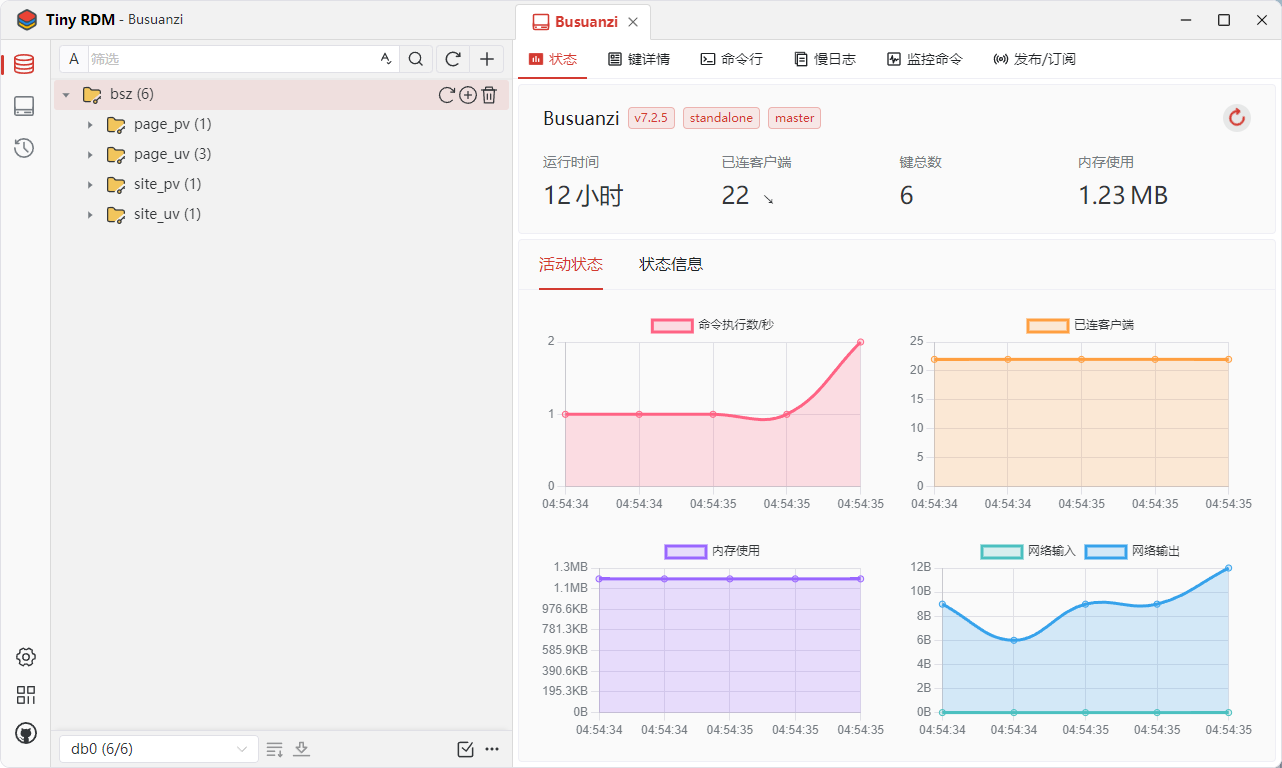
1716713688548.webp
Since all data is encrypted with MD5, it might seem confusing at first. Below is the explanation provided by the developer:
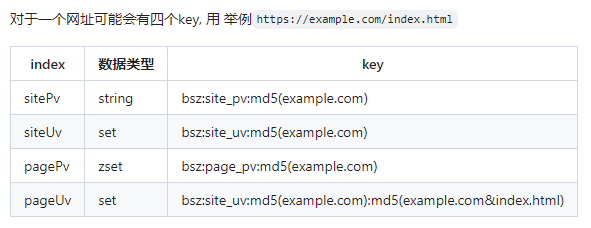
1716714118949.webp
Fortunately, my data volume was small. Currently, Busuanzi statistics are only used site-wide; article views still rely on Twikoo's page statistics. I plan to switch everything to Busuanzi soon.
Yesterday, after reviewing the structure, I came up with a data generation method—generating MD5 hashes in bulk to increase total site UV and thereby restore previous data.
Generating Data
I wrote a PHP script to achieve this:
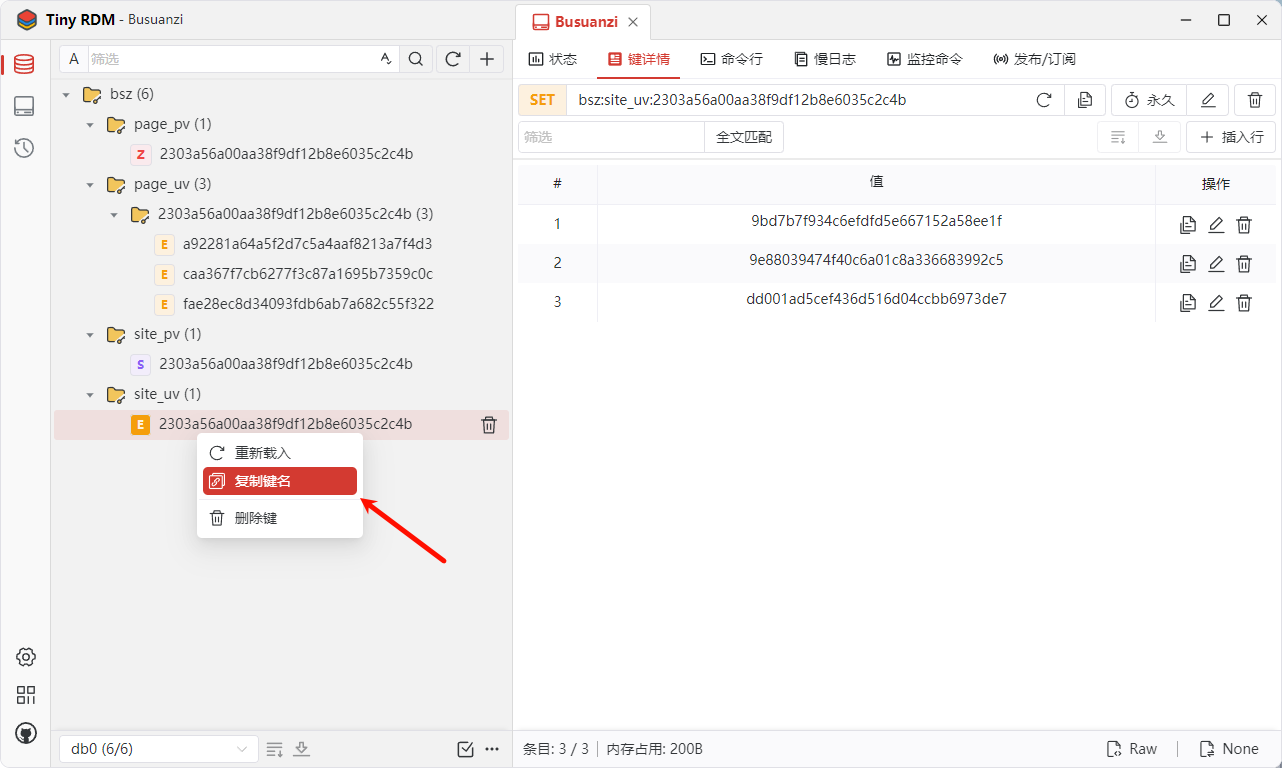
1716715088025.webp
Note that sadd does not apply to ZSET types.
After saving the PHP file, access its URL from your site directory to generate the specified quantity.
Before Generation
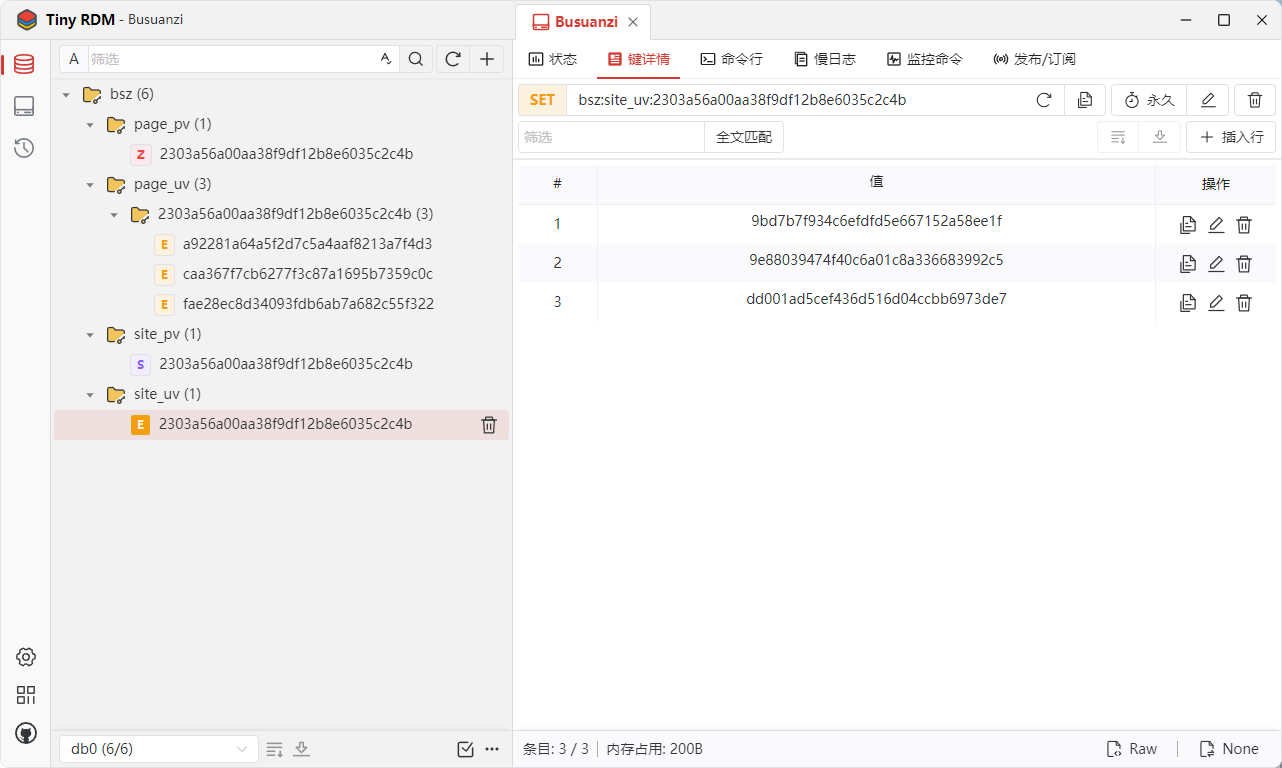
1716715594271.webp

1716715525373.webp
After Generation
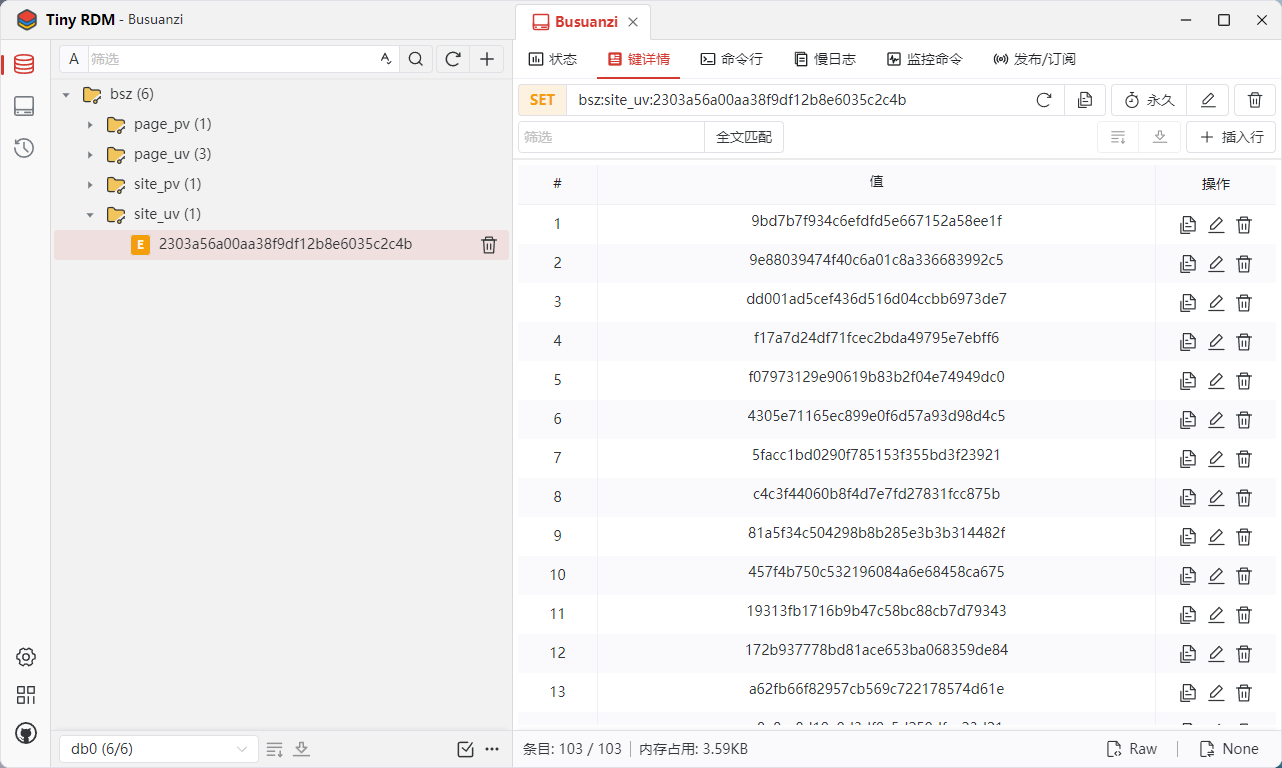
1716715919420.webp

1716715942636.webp
Final Thoughts
PV values can be directly modified. For page UV, you can adapt the method described above creatively.
This roundabout approach might seem clumsy, but it fulfilled my requirements.
For personal use, consider enabling cross-origin access to reduce unnecessary data.
The above results come from yesterday afternoon's tinkering. Last night, I also helped my friend Qingyu Feiyang with "data recovery." The method proved effective through multiple tests. If you have better solutions, feel free to discuss.